


Blog
What Is Ghosting in Writing?

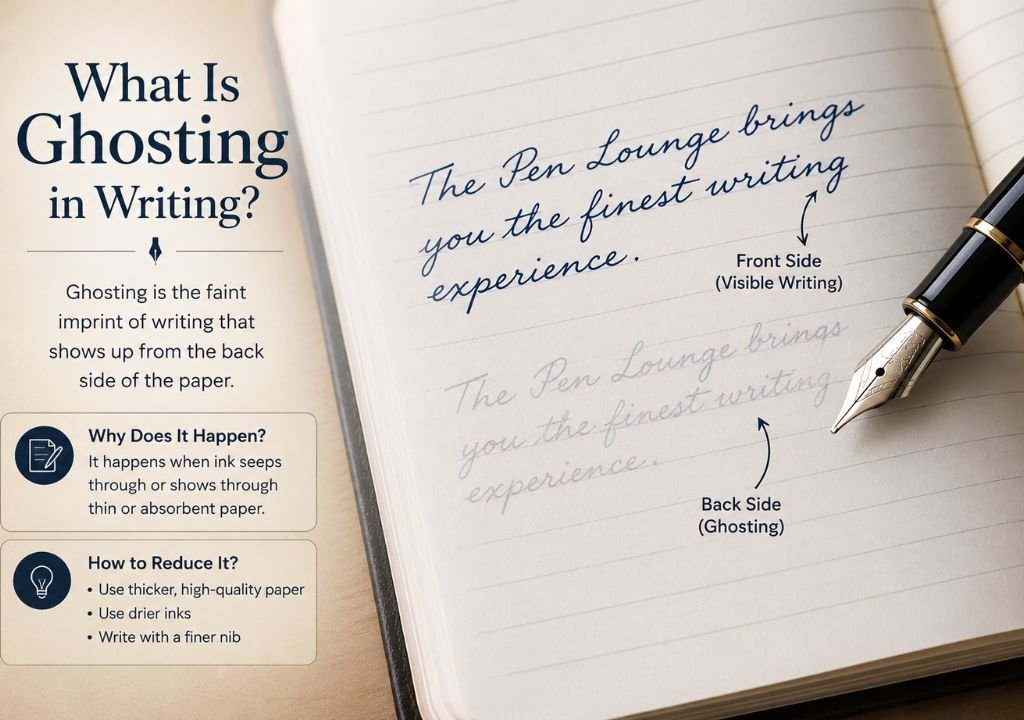
What Is Ghosting in Writing? The Real Difference Between Ghosting and Bleed-Through
Why your ink “shows through” the page — and what it actually means for choosing the right notebook, journal, or fountain pen paper.
If you’ve ever held a written page up to the light — or flipped it over — and seen a faint shadow of your handwriting on the back, you’ve experienced ghosting. It’s one of the most misunderstood terms in the stationery world, and it’s very often confused with a completely different (and more serious) paper problem: bleed-through. Understanding the difference can save you from returning a perfectly good notebook, or worse, buying paper that isn’t fit for your favorite fountain pen.
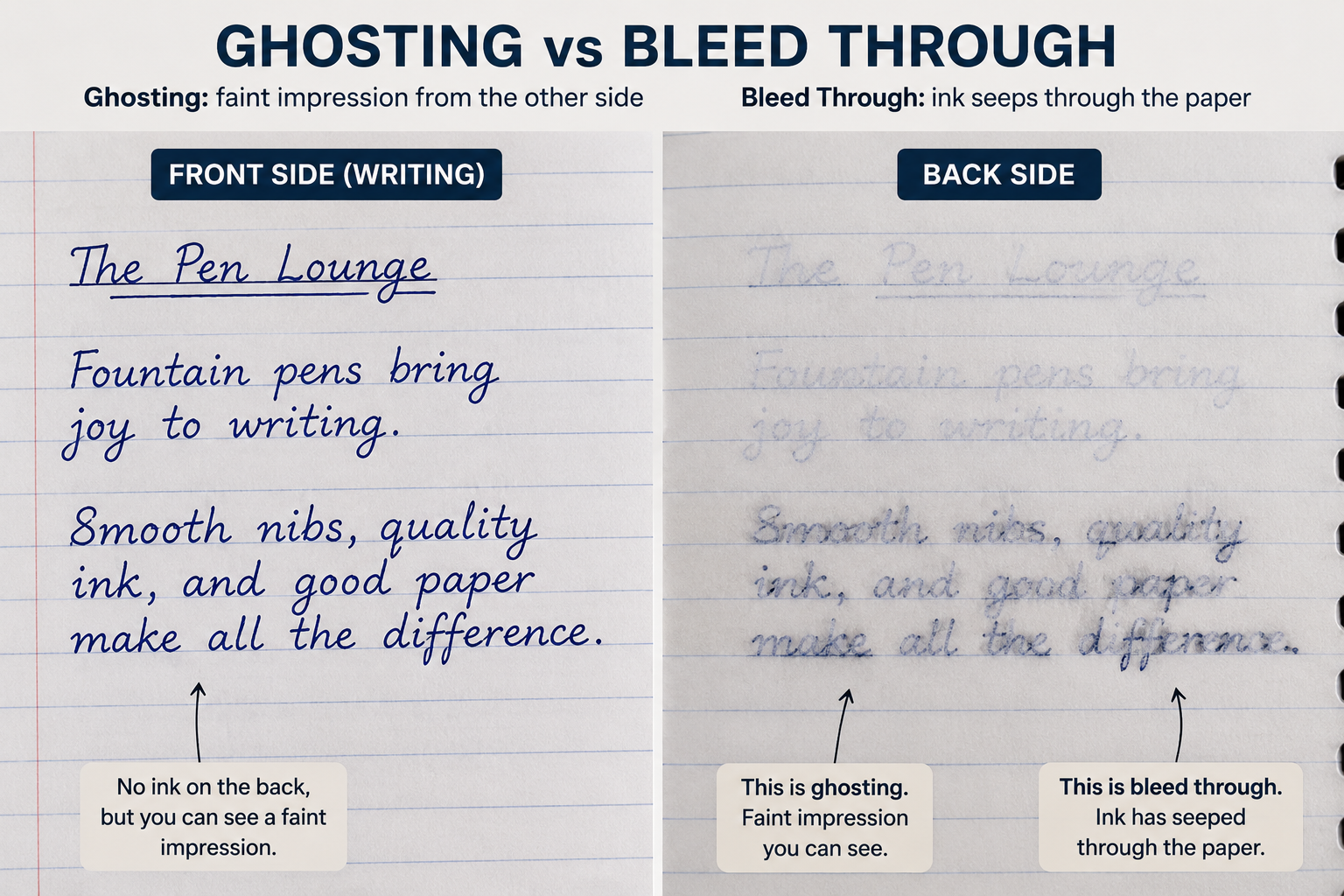
Ghosting is the faint visibility of writing from the reverse side of a page, without the ink physically soaking through the paper. It’s a surface-level transparency effect caused by paper thinness or low opacity — not an ink or paper failure. Bleed-through, on the other hand, is when ink fully saturates and transfers onto the opposite side of the page. Ghosting is cosmetic; bleed-through is a paper-quality issue.
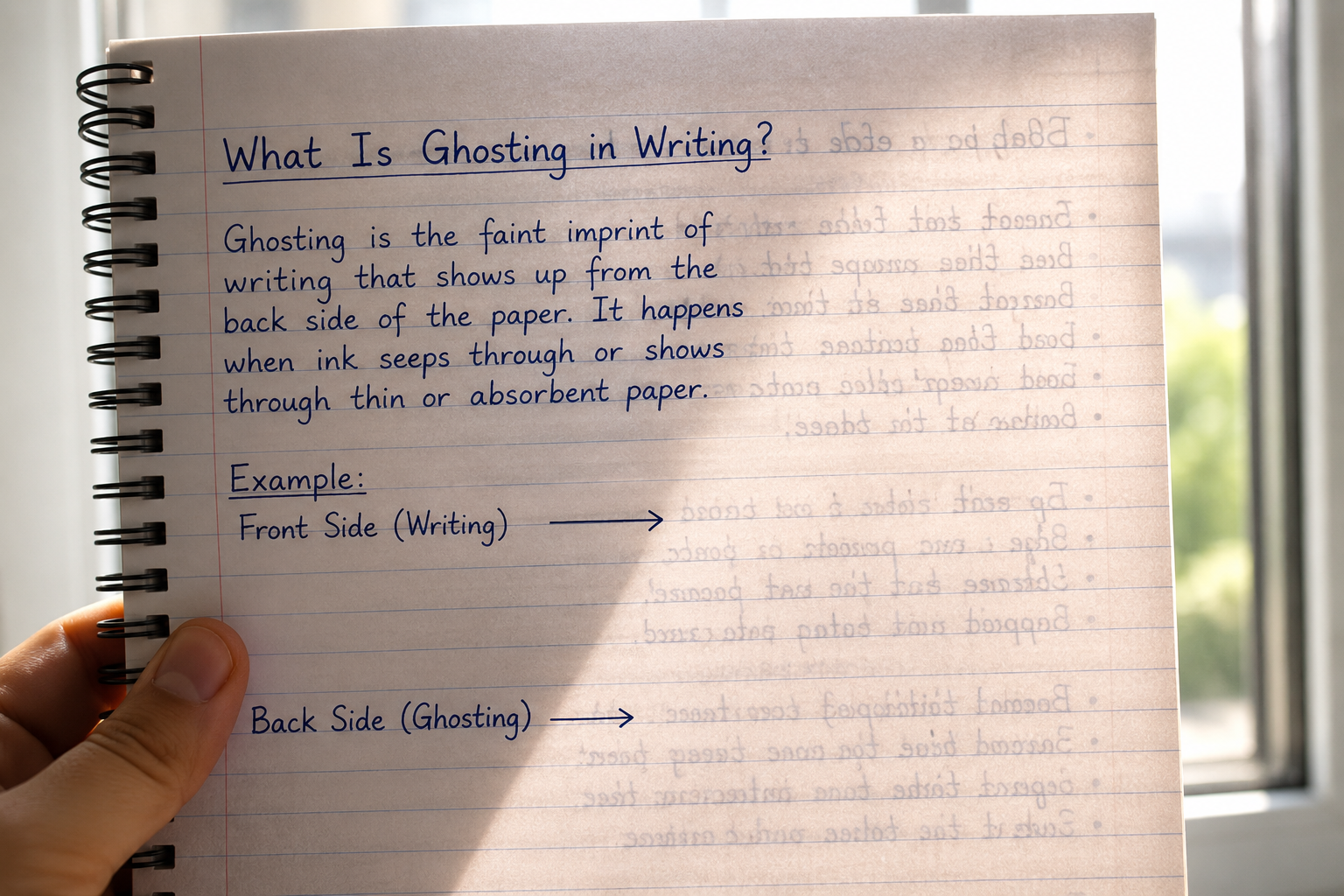
What Exactly Causes Ghosting?
Ghosting happens because paper is never 100% opaque. Every sheet lets some light pass through, and dense, dark strokes of ink create enough contrast for that transparency to reveal an outline on the reverse side. It’s the same principle as holding a thin curtain up to a window — you can make out shapes, but nothing actually passes through the fabric.
Paper Thickness (GSM)
Lower GSM (grams per square metre) paper is thinner and naturally more translucent, making ghosting more visible.
Paper Opacity
Opacity is a separate spec from thickness — some thin papers are treated to stay opaque, reducing ghosting even at low GSM.
Ink Saturation
Broad nibs, brush pens, and heavily saturated inks lay down more pigment, which increases contrast and makes ghosting more noticeable.
Writing Pressure
Pressing hard with a ballpoint or gel pen can create texture on the page, which can look like ghosting even with dry ink.
Ghosting vs Bleed-Through: Side-by-Side Comparison
These two terms get used interchangeably, but they describe very different things — and only one of them is actually a paper defect.
| Aspect | Ghosting | Bleed-Through |
|---|---|---|
| What happens | Faint shadow visible through the page | Ink physically soaks through to the other side |
| Can you feel it? | No — the reverse side feels smooth | Yes — ink often feels wet or raised on the back |
| Usable back page? | Yes, fully usable | Usually not — writing is obscured |
| Main cause | Paper thinness / low opacity | Poor ink absorption or very low-quality paper |
| Considered a defect? | No — normal in lightweight paper | Yes — sign of paper unsuited for the ink/pen |
How Paper Weight (GSM) Affects Ghosting
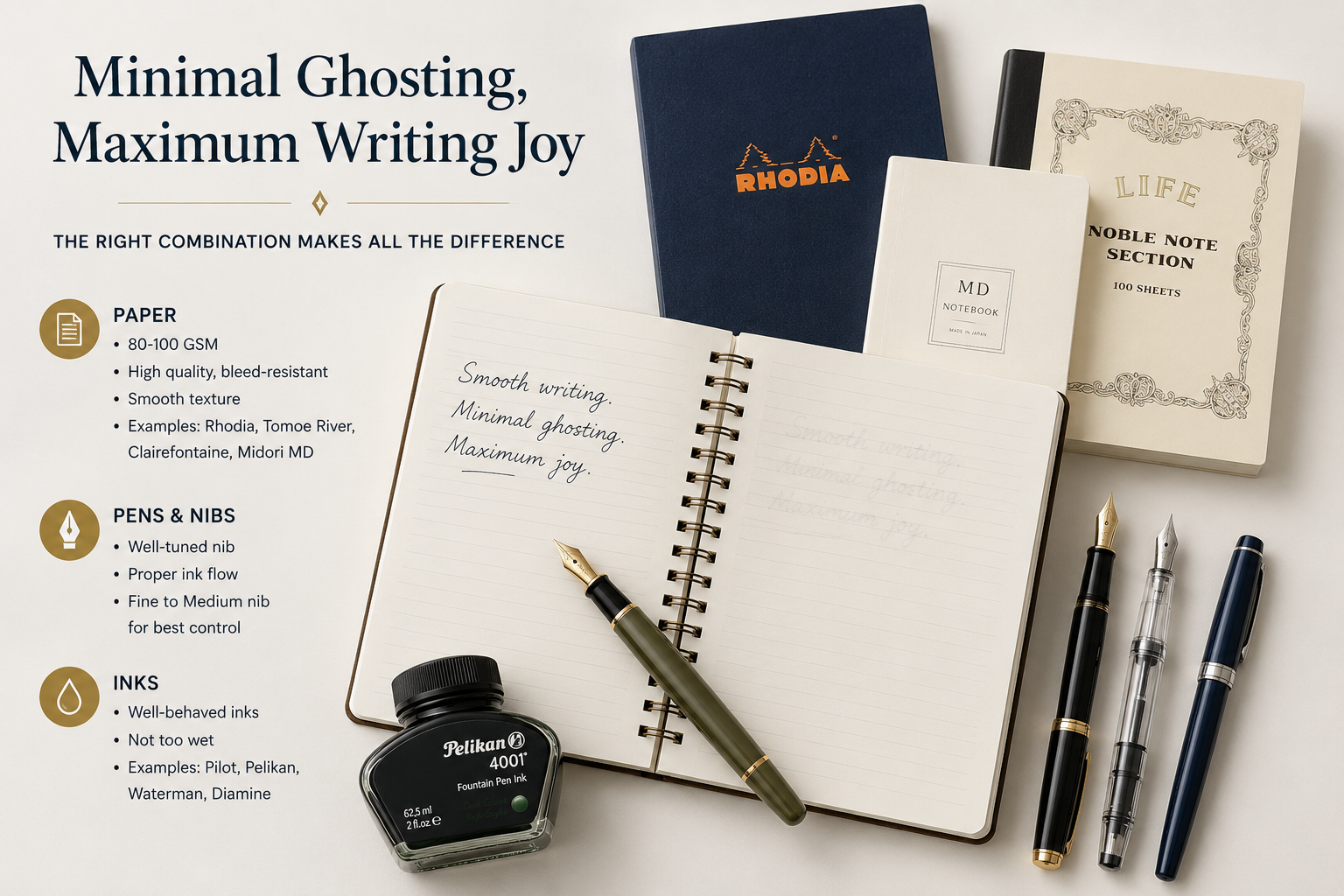
As a general rule, the higher the GSM, the less ghosting you’ll see — though opacity treatment matters just as much as thickness. Here’s roughly how common notebook papers compare:
High
Medium
Low
Minimal
How to Reduce or Prevent Ghosting
- Choose notebooks rated 100 GSM or higher if you write with fountain pens or brush markers.
- Look for paper described as “high opacity” or “fountain-pen friendly” on the packaging.
- Use finer nibs or lighter ink saturation for double-sided writing.
- Test a new pen-and-paper combination on a single page before committing to a full journal.
- Store journals flat rather than pressed — pressure over time can worsen visible texture.
Is Ghosting Actually a Problem?
In most everyday notebooks, ghosting is completely normal and not a sign of poor quality — it’s simply physics. It only becomes worth addressing if you plan to write on both sides of a page and want each side to look clean, or if you’re using premium fountain pen inks where presentation matters. Bleed-through, by contrast, is the one to watch for — it usually signals the paper isn’t suited to the ink or pen you’re using.
Frequently Asked Questions
Is ghosting the same as bleed-through?
No. Ghosting is a faint visual shadow with no ink transfer, while bleed-through means ink has physically soaked through to the other side of the page.
Does ghosting mean the paper is low quality?
Not necessarily. Ghosting is common even in good-quality lightweight paper. It becomes a quality concern mainly when paired with fountain pens or heavy ink use, where higher-GSM or higher-opacity paper performs noticeably better.
What GSM paper avoids ghosting?
Paper rated 100 GSM or higher generally shows minimal ghosting, and many fountain-pen-friendly notebooks use 100–120 GSM with an opacity treatment.
Can ink type affect ghosting?
Yes. Highly saturated inks, broad nibs, and brush pens increase contrast on the page, which can make ghosting more visible even on decent-quality paper.
Should I avoid writing on both sides if my notebook ghosts?
Not necessarily — ghosting doesn’t damage the page or obscure writing. Many people write on both sides without issue. It’s a cosmetic effect, not a functional one.
Find Paper That Matches Your Pen
Browse fountain-pen-friendly notebooks and journals curated by The Pen Lounge — tested for opacity, GSM, and ink performance.